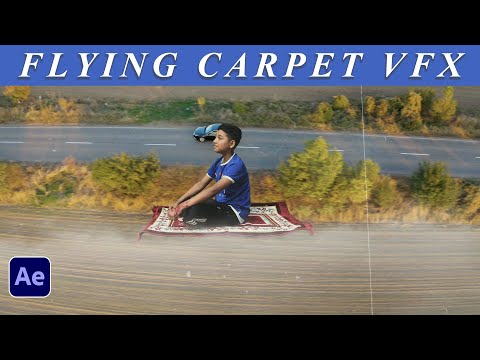
Creating a flying carpet effect like Aladdin's magic carpet in After Effects can be a fun project! Here's a simple step-by-step guide to get you started:
1. **Prepare Your Footage**: First, you'll need footage of the area where you want the carpet to fly. Make sure your footage is stable and has good lighting.
2. **Create a New Composition**: Import your footage into After Effects and create a new composition by dragging your footage into the composition icon at the bottom of the project panel.
3. **Create a Solid Layer**: Go to the "Layer" menu, select "New" and then "Solid." Choose a color for your solid layer. This will be the base for your carpet.
4. **Apply Fractal Noise Effect**: With your solid layer selected, go to the "Effect" menu, choose "Noise & Grain," and then select "Fractal Noise." Adjust the settings to create a texture resembling a carpet.
5. **Add Displacement Map Effect**: Search for the "Displacement Map" effect in the Effects & Presets panel and apply it to your solid layer. Set the "Displacement Map Layer" to your original footage layer.
6. **Animate Your Carpet**: Use the keyframe animation to animate your solid layer to move across the screen as if it were flying. You can use position keyframes to make it move up, down, left, and right.
7. **Add Shadows and Highlights**: To make your carpet look more realistic, add shadows and highlights using adjustment layers and blending modes.
8. **Fine-Tune Your Animation**: Adjust the speed and timing of your animation to make it look more natural. You can also experiment with different effects and settings to achieve the desired look.
9. **Final Touches**: Add any additional effects or elements to enhance your scene, such as clouds in the sky or birds flying around.
10. **Render Your Composition**: Once you're happy with your animation, go to the "Composition" menu and select "Add to Render Queue." Adjust the settings and render your composition.
Remember, creating VFX can be complex, so don't be afraid to experiment and try out different techniques to achieve the look you want. And most importantly, have fun with it!